
Voicemail drop is a feature that automates callbacks and improves the efficiency of outbound campaigns by delivering pre-recorded audio messages directly to voicemail, removing the need to leave each message manually.
Voicemail drop feature is available on Pro, Power and Enterprise Call Center plans.
- Creating & managing voicemail drop messages
- Voicemail drop in regular outbound calls
- Voicemail drop in outbound campaign calls
Creating & managing voicemail drop messages
Each MightyCall user can upload up to 10 voicemail drop audio files in their personal Settings > Greetings & Media section on the web. Files may be 7 to 60 seconds long, up to 10 MB in size, and must be in one of the supported formats: mp3, wma, m4a, or wav.
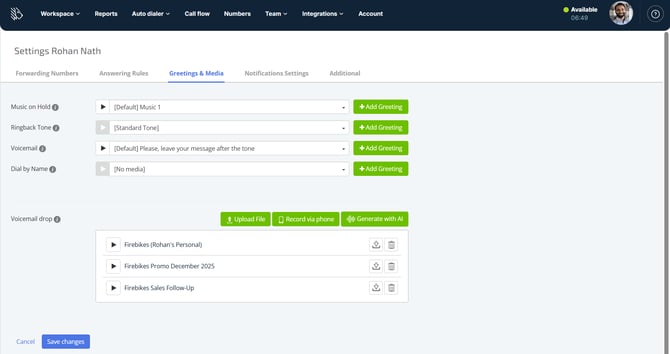
Voicemail drop in regular outbound calls
To drop a voicemail message on a regular outbound call, please click on the Voicemail drop icon in the wepbhone:
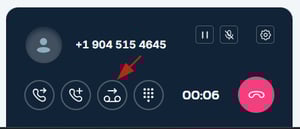
It will expand the list of the voicemails you have saved, allowing you to select the proper message:
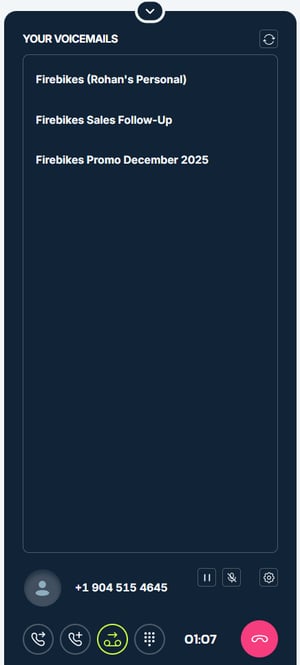
You can check the transcription of each message to make sure you've got the correct one. Once you've selected the message you'd like to drop, click on the pink icon next to it:
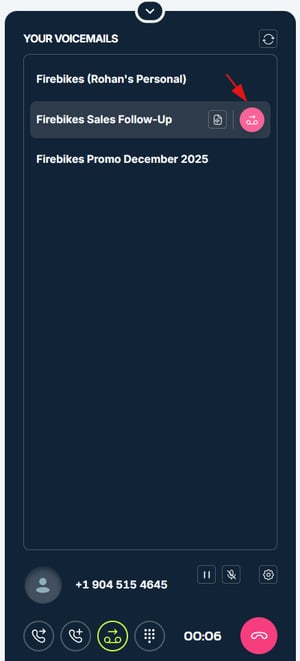
The system will play the VM drop message, ending the call afterwards and showing a status message in the bottom left corner of the screen:

Voicemail drop in outbound campaign calls
To drop a voicemail message on an outbound campaign call, please click on the Voicemail drop icon in the wepbhone:
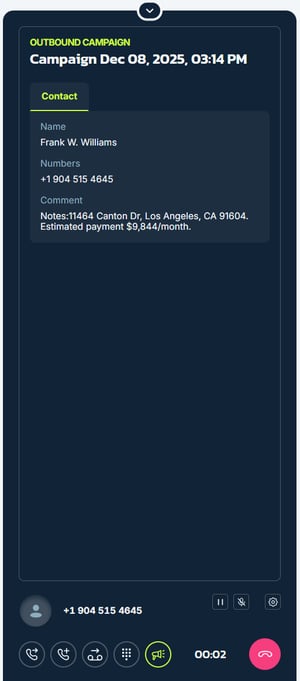
It will expand the list of the voicemails you have saved, allowing you to select the proper message:
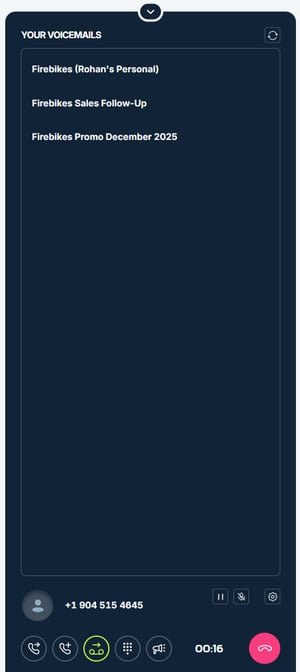
You can check the transcription of each message to make sure you've got the correct one. Once you've selected the message you'd like to drop, click on the pink icon next to it:
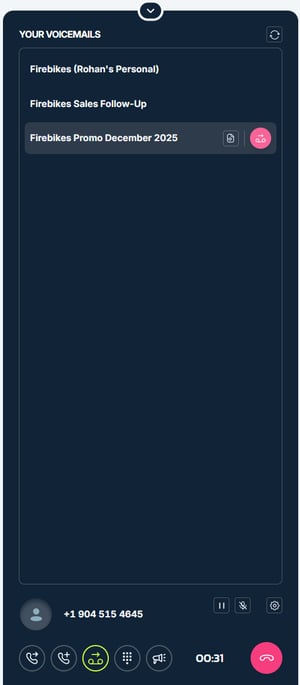
The system will play the VM drop message, ending the call afterwards and showing a status message in the bottom left corner of the screen: